
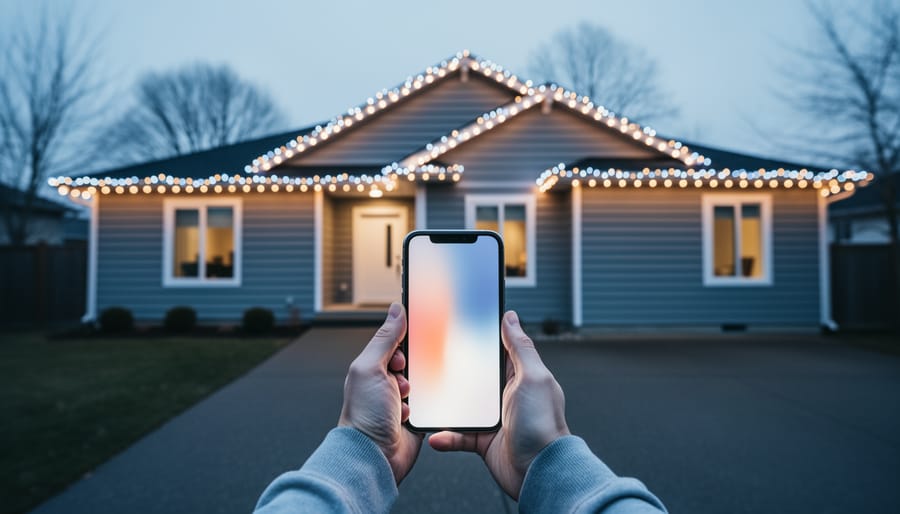
Every December, millions of people do something odd. They spend real money on lights they’ve never seen on their own house, climb a ladder to hang them, step back into the driveway, and only then find out whether they like the result.
Sometimes they love it. Sometimes the cool white strands make the brick look like a dentist’s office, the icicle lights look sparse along a long gutter, or the multicolor C9s that seemed charming in the store look chaotic against blue siding. By then the clips are on, the ladder is out, and the packaging is in the recycling bin.
I don’t hang lights professionally. I write about visualization software, mostly virtual staging, the technology real estate agents use to digitally furnish empty rooms in listing photos. As I’ve watched AI editing tools get cheaper and better, I keep coming back to a simple question: why do we preview a sofa in an empty living room but not a $400 lighting display on the house we actually live in?
This article looks at that gap and how virtual staging tools are starting to close it. I’ll stick to published numbers where they exist, and I’ll say clearly where they don’t.
The Size of the Guessing Game
Holiday decorating is not a small hobby. The National Retail Federation’s 2025 holiday survey, which covered more than 8,200 US adults, found consumers planned to spend about $890 per person on the season. That was the second-highest figure in the survey’s 23-year history, just below 2024’s record of roughly $902. About $263 of that per person goes to seasonal items such as food, candy, decorations, and greeting cards. NRF doesn’t break out decorations alone, so I won’t pretend to know the exact lighting share. Either way, it’s a sizable annual purchase made largely on instinct.
Professional installation raises the stakes. Angi’s cost data puts the average professional Christmas light install at about $443, with a typical range of $219 to $686. On a per-foot basis, that’s roughly $2.50 to $7 per linear foot, combining materials and labor. Regional averages vary widely: about $350 in the Northwest and around $750 in the Southeast.
Then there’s the electricity bill. Angi estimates holiday lights cost about $5 to $75 a month to run over a typical 45-day season. A December 2025 Axios report, quoting EnergySage, noted that LED setups usually cost under $20 a month, while incandescent displays or large inflatables can push the bill well past $100.
So a family might spend a few hundred dollars on product, several hundred more on installation, and a noticeable amount on power, all for a display they first see when the switch flips.
The Hidden Cost Isn’t Money. It’s the Ladder.
Here’s the part of holiday lighting nobody puts on a product box.
According to the US Consumer Product Safety Commission, as reported in December 2025, nearly 160 people a day are injured while decorating during the holiday season, based on 2024 data. At least half of those incidents involve falls. CPSC also counted about 14,900 hospitalizations linked to Christmas decorating injuries during the 2023 season.
Why does that matter for a piece about software? Because a big share of ladder time goes to the trial-and-error part of decorating: hang a strand, climb down, look, climb back up, rehang it, climb down again. Anyone who has decorated a two-story roofline knows the “I’ll just fix this one section” loop.
I want to be careful not to overstate this. No study I found shows that visualization tools reduce decorating injuries, and I won’t invent one. The logic is simple, though. Every design decision made on a screen is one fewer made on a ladder. If you’ve already settled on the color, spacing, and coverage before going up, you climb with a plan instead of an experiment.
That alone strikes me as a stronger argument for previewing a display than any aesthetic benefit.
What Virtual Staging Software Actually Does (and Where It Came From)
Virtual staging started as a real estate tool. An agent photographs an empty room, and software or a human editor adds realistic furniture, rugs, art, and lighting. The National Association of REALTORS® reported in its 2025 home staging profile that 83% of buyers’ agents said staging made it easier for buyers to picture a property as their future home. Virtual staging became popular because it’s cheap. Human-edited services commonly cost around $75 per photo, and AI tools can often do it in minutes for much less.
The core capability is placing believable objects into a real photo with correct perspective, scale, and light. That turns out to be exactly this: using the best virtual staging software AI app you cn see what holiday lighting needs with ai home staging software, DIY Digitally Staged using greatest Furniture Staging App for real estate and Realtors Companies for Sale. Strip away the furniture and what’s left is a tool that can answer the question every decorator asks: What would this look like on my house?
Today, holiday lighting visualization usually falls into one of three categories:
1. AI image editing and virtual staging tools. You upload a photo of your house, usually taken at dusk, and prompt or paint where you want lights. The software renders glowing strands along the roofline, wrapped around trees, or framing windows. Quality varies a lot, but the best results are surprisingly convincing.
2. Installer design and proposal software. Some professional lighting companies use mockup tools to draw lights onto a photo of a customer’s home before quoting. The visuals tend to be more schematic, but they’re tied to actual measurements and product choices.
3. Augmented reality apps. You point your phone at the house and see virtual lights overlaid live. This is fun and quick but usually less precise than a carefully edited still image.
For most homeowners and most holiday lights stores, the first category is where the real change is happening, because it requires nothing but a phone photo.
The Decisions a Preview Settles
Warm white versus cool white versus multicolor
This is the argument families have every year, usually in the store aisle. Previewing turns it into a side-by-side comparison instead of a debate.
What makes it hard to judge in the abstract is that the color of the lights interacts with the color of the house. Warm white (around 2700K–3000K on LED packaging) tends to flatter red brick, stone, and cream or beige siding. Cool white can look crisp and wintry on white, gray, or blue exteriors but harsh on warm materials. Multicolor works best when it’s deliberate, often on simpler facades where the colors don’t fight a busy texture.
Those are general design tendencies, not laws. That’s exactly why previewing helps. Rendering the same photo three ways (warm, cool, multicolor) takes minutes and replaces opinion with evidence.
For a sense of how people already lean, a survey of more than 2,500 consumers published by retailer Christmas Lights, Etc. found white was the most-selected light color, followed by red, green, blue, and gold. It’s an older survey, from the mid-2010s, and it comes from a company that sells lights, so I’d treat it as directional rather than definitive.
Bulb style and size
C9s, C7s, mini lights, icicles, nets, and fairy strings all read very differently from the street. Large C9 bulbs on a two-story home look bold and classic from 50 feet away. Mini lights on the same roofline can almost disappear. Icicle lights that look full in a store display can look thin along a 90-foot gutter.
A good visualization lets you test scale at the distance that matters, which is the curb, not the aisle.
Coverage and restraint
One of the most common display mistakes is trying to light everything. A preview makes this obvious quickly. Sometimes the strongest-looking version is the roofline, the front door, and one well-lit tree, with nothing else.
There’s an economic angle too. With Angi’s range of $2.50 to $7 per linear foot for professional installation, cutting 40 feet of unnecessary lights can save roughly $100 to $280 on install alone, before any savings on product and power. That’s my arithmetic from Angi’s range, not a published figure.
Spacing and bulb placement
Clip spacing changes the look more than most people expect. Bulbs spaced 12 inches apart give a dotted, classic line. Bulbs spaced 6 to 8 inches apart give a denser glow. Seeing both on a rendered photo makes the choice easy, and it also tells you how many bulbs to buy.
From Picture to Shopping List
This is where visualization moves from fun to useful, especially for a holiday lights store.
A preview tells you what you want. It can also help you figure out how much you need, if you pair it with simple measurements. Here’s the workflow I’d suggest, pulled together from how virtual staging works and from basic decorating math:
Step 1: Take the right photo. Shoot from the street at the angle most people will see the house. Dusk is ideal: just after sunset, when the sky still has some blue and the house is visible but dim. Try to keep the phone level and include the whole facade.
Step 2: Measure what you plan to light. Rooflines, gutters, peaks, window frames, railings, and the path to the door. A tape measure or a laser measure works, and some phone apps can estimate distances. Write down each run in feet.
Step 3: Render two or three versions. For example: warm white roofline only; warm white roofline plus trees; multicolor C9s across the whole front. Keep everything else the same so you’re comparing one variable at a time.
Step 4: Pick a version and turn it into quantities. If the roofline is 64 feet and you chose 12-inch bulb spacing, you need about 64 bulbs and roughly 64 feet of wire, plus extra to reach the outlet. Trees are usually estimated by height and width, and many stores publish rule-of-thumb charts for that.
Step 5: Plan the power. Find the nearest outdoor outlet, plan extension cord runs, and check how many strands the manufacturer says can be connected end to end. LED strands generally allow far longer runs than incandescent ones because they draw much less power.
Step 6: Buy once. With a picture and a list, you can walk into the store, or check out online, knowing exactly what you want.
That last step matters for retailers. A customer who arrives with a visual and a measurement list is easier to help, more confident, and less likely to return half the purchase on December 27.
Why This Matters to a Holiday Lights Store
Now let me speak directly to the business side, because this is where I think visualization quietly becomes a competitive advantage.
It reduces “I’m not sure” purchases
Uncertainty kills baskets. A shopper who isn’t sure whether warm white or cool white suits their house might buy one box to “try it,” or buy nothing. A shopper who has seen both on their own house buys the full quantity of the one they chose.
It supports larger, more coherent orders
A visualization shows the whole display at once: roofline, trees, bushes, windows. That naturally prompts complete orders instead of piecemeal ones. It also surfaces accessories people forget until they’re on the ladder: clips, timers, extension cords, stakes, and spare bulbs.
It could cut returns
I couldn’t find published return-rate data specific to holiday lighting, so I won’t quote a number. But the most common return reasons are easy to guess: wrong color, wrong size, wrong quantity, didn’t look how I expected. A preview addresses every one of those before the sale.
It makes marketing local and personal
Generic stock photos of perfectly lit mansions don’t help someone with a split-level ranch home picture their own display. Before-and-after images of ordinary houses, with real customers’ permission, make the idea concrete. A “here’s what 80 feet of warm white C9s looks like on a ranch home” image sells more clearly than any spec sheet.
It helps the store sell installation services
If a store offers professional installation or partners with installers, a rendered preview becomes the quote’s centerpiece. With typical professional installs averaging around $443 and ranging well above that, customers want to know what they’re paying for. A picture answers that faster than a line-item estimate.
The Energy Conversation, Made Visible
Visualization also helps with a decision that’s easy to postpone: switching to LEDs.
EnergySage estimates LEDs use about 70% less energy than incandescent holiday bulbs. That’s a strong argument on paper, but it doesn’t always win in practice, because many people believe LEDs look colder or harsher than the old bulbs they grew up with. That belief comes partly from early LED strands, which really did tend toward a bluish white.
A preview can test that concern directly. Render the house with a warm white LED strand and look at it. Many people find modern warm white LEDs look much closer to incandescent than they expected.
Energy costs also influence how much people decorate. A Payless Power survey of 1,000 Americans, cited by Axios in December 2025, found 17% planned to reduce decorations because of energy costs, 8% planned to skip them entirely, and 14% leave their lights on overnight every night. That last number is a strong case for timers. Previewing a smaller, more deliberate display can help families who want to decorate but are worried about the bill: a well-planned 60 feet of LED lights on a timer often looks better than 200 feet of mismatched strands left on all night.
The older Christmas Lights, Etc. survey had a related finding: about 57% of consumers preferred LEDs at the time, 21% preferred incandescent, and 22% had no preference. Preference has very likely shifted further toward LEDs since then, but that’s my inference, not data.
Where Previews Can Mislead You
Visualization is useful, but I’d be doing you a disservice if I didn’t point out where it breaks down.
AI makes everything look slightly magical
AI image tools love a cinematic glow: soft halos, a deep blue sky, light bouncing off fresh snow. Real lights in a real December, with streetlights and a neighbor’s floodlight, often look flatter. Treat the preview as a guide to layout and color, not a promise of mood.
Brightness and color temperature are hard to render accurately
A screen can’t perfectly reproduce how a strand looks in person, and phone displays vary widely in color. Cool white and warm white usually come through clearly, but subtle differences such as 2700K versus 3000K may not. If the exact shade matters to you, buy one strand, plug it in at dusk, and compare it with the render.
The software doesn’t know your roof
A rendering might show lights along a roof edge with no gutter to clip to, or across a peak that’s unsafe to reach. Before you commit to a design, check that every run in the picture is something you can actually mount, safely.
It doesn’t replace safety basics
No software changes the fundamentals. Use outdoor-rated lights and cords outdoors. Follow the manufacturer’s limits on connecting strands. Inspect old strands for damaged wires before hanging them. Use a sturdy ladder on stable ground, and don’t climb alone. The CPSC numbers above are a good reminder that the most dangerous part of a holiday display usually isn’t electrical. It’s gravity.
HOAs and neighbors
If your neighborhood has rules about lighting, timing, or brightness, a preview is a handy way to check a design ahead of time, and even to share with an HOA if approval is needed. It can also help you spot light that might shine straight into a neighbor’s window.
A Note on Professional Installers
If you run a holiday lighting installation business, visualization fits naturally into the sales process.
Most installers already quote from measurements. Adding a rendered image of the customer’s own house to the quote turns an abstract number into something the customer can picture and agree to. It also protects both sides. If the customer approved a rendered design with warm white C9s on the roofline and two wrapped trees, there’s far less room for a “that’s not what I expected” dispute after the crew leaves.
The same honesty rules that apply in real estate apply here. Label renders as visualizations, keep them tied to real measurements, and don’t show coverage you can’t safely install. Real estate is already moving toward disclosure rules for digitally altered listing photos. Installers who treat previews as honest plans rather than glossy bait will build trust that carries over to next year’s booking.
And next year’s booking matters in this business. Many installers offer take-down and storage, and repeat customers are often the core of a lighting company’s revenue. A clear before-and-after record of each house also makes next season’s quote faster.
How to Try It This Weekend
If you want to test this without buying anything:
- Go outside at dusk and take a straight-on photo of your house from the sidewalk or street.
- Open an AI image editor or virtual staging tool that supports adding objects or editing by text prompt. Many have free trials or limited free use.
- Ask for something specific. Prompts like “warm white C9 bulbs along the roofline and gutter, evenly spaced, realistic” usually work better than “make it look festive.”
- Make three versions: warm white, cool white, and multicolor, keeping placement identical.
- Look at them on a larger screen if you can, and show them to the people you live with. This is often where the annual color debate ends quickly.
- Measure the runs you chose and build your list before you shop.
The whole exercise usually takes less time than untangling one box of last year’s lights.
The Bigger Shift: Decorating With a Plan
For a long time, holiday lighting has run on tradition and improvisation. You bought what looked good on the shelf, hung what you had, and adjusted on the fly. There’s charm in that, and nobody needs software to enjoy the season.
But the numbers make a quiet case for planning. Households spend hundreds of dollars on the season. Professional installs often run several hundred more. Energy costs make some families rethink how much they decorate. And about 160 people a day get hurt while decorating, with falls behind at least half of those injuries.
Virtual staging won’t make a display magical, and it won’t hang a single strand for you. What it does is move the guessing from the roof to the screen, where mistakes are free, nobody needs a ladder, and the color argument can end with “look, the warm white is just better on the brick.”
See it glow first. Then buy the bulbs.
Sources referenced: National Retail Federation 2025 Holiday Survey (conducted by Prosper Insights & Analytics); US Consumer Product Safety Commission holiday decorating injury data (2023–2024, as reported December 2025); Angi Christmas light installation cost data; Axios (December 2025), citing EnergySage and a Payless Power consumer survey; Christmas Lights, Etc. Christmas Trends consumer survey; National Association of REALTORS® 2025 Profile of Home Staging.